
⚲ Jakarta, Indonesia (ID) - (+62) 895 3172 4214 - EST. 2018
EXCEL AUTOMATION
How we streamline manual and repetitive work, enabling your company to focus on strategic decision-making?
1. We design control panel for a better user experience

🔁 On mobile device, landscape your screen to see full image.
2. We enhance ordinary Excel file with automation script

This Images Is For Illustration Purpose Only

This Images Is For Illustration Purpose Only
3. To bring automation in your workbook with one click
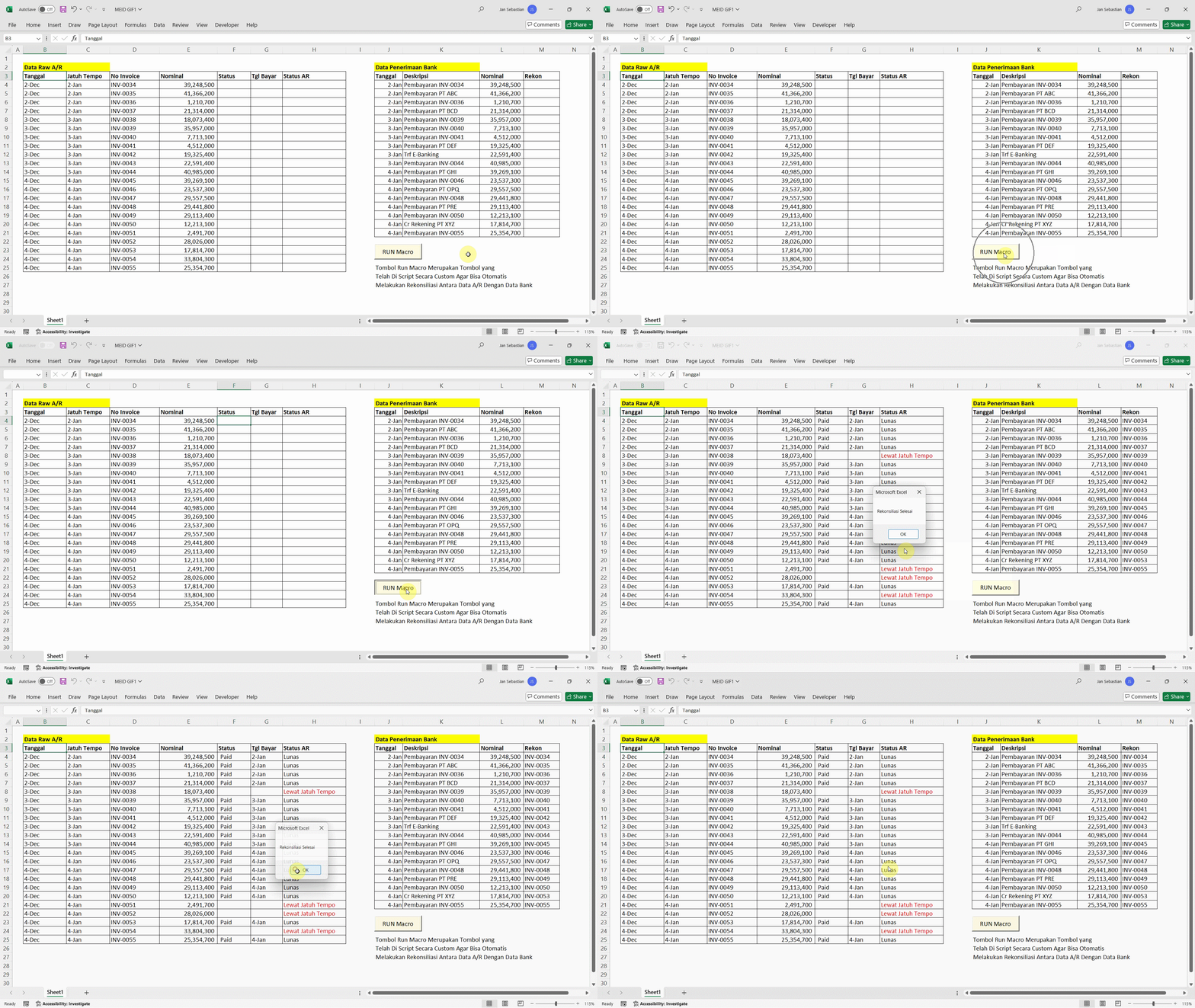
🔁 On mobile device, landscape your screen to see full image.
IMPROVE TEAM PRODUCTIVITY AND
SAVE YOUR TIME WITH OUR SERVICE
🔁 On mobile device, landscape your screen to see full image.
HOW WE WORK?
WE DESIGN A FULLY CUSTOMIZABLE AUTOMATION, TO FIT YOUR ORGANIZATION NEEDS.
GATHER CLIENT'S REQUIREMENT
Identifies your workflow challenges and explores the most effective automation solutions for your team.
Schedule a meeting today.
PRESENTATION OF CONCEPT
We demonstrate the illustration of solution. Once concept is accepted, we prepare quotation.
No commitment fee until the quotation is confirmed.
SCRIPT CODE DEVELOPMENT
We build the automation fully tailored to your business processes.
Every workflow is customized to ensure a perfect fit for your needs.
RESULT DEMO PRESENTATION
After development, we present the automation to verify it works according to your requirements.
You will also have the opportunity to test and review the system.
HANDOVER & ASSISTANCE
After handover, we provide a 30-day warranty to ensure everything runs smoothly.
During the support period, we help you refine and optimize the automation as needed.
EXCEL AUTOMATION PORTFOLIO
We possess a strong track record across diverse automation projects.
All images and data shown below are for illustrative purpose only, to give reader visual illustration. We don't use real dashboard form and client's (real) data for illustration below. Confidentiality of each project is our utmost concern.
SALES REPORT AUTOMATION
Client Source Data: SAP ERP
From 1 Day Manual Process To 5 Minutes Automated Process
Generate Sales Report Based on dowloaded data from ERP. Prepare data for further analysis such as: Top 10 Customer, Top 10 Products, Sales by Area, etc.
🔁 On mobile device, landscape your screen to see full image
This image is for illustrative purpose only
PERFORMANCE APPRAISAL AUTOMATION
Client Source Data: Excel Files
From 2 Days Manual Process To 5 Minutes Automated Process
Generate Performance Appraisal Files to be filled by reviewer. After reviewer submit the result, combine all data in a folder into single file.
🔁 On mobile device, landscape your screen to see full image
This image is for illustrative purpose only
BSPL Movement Analysis
Client Source Data: SAP ERP
From 4 Hours Manual Process To 5 Minutes Automated Process
Explain increment / deduction of Balance Sheet and P&L Account from downloaded data. Make grouping of activity from highlighted line items and explain the major movement.
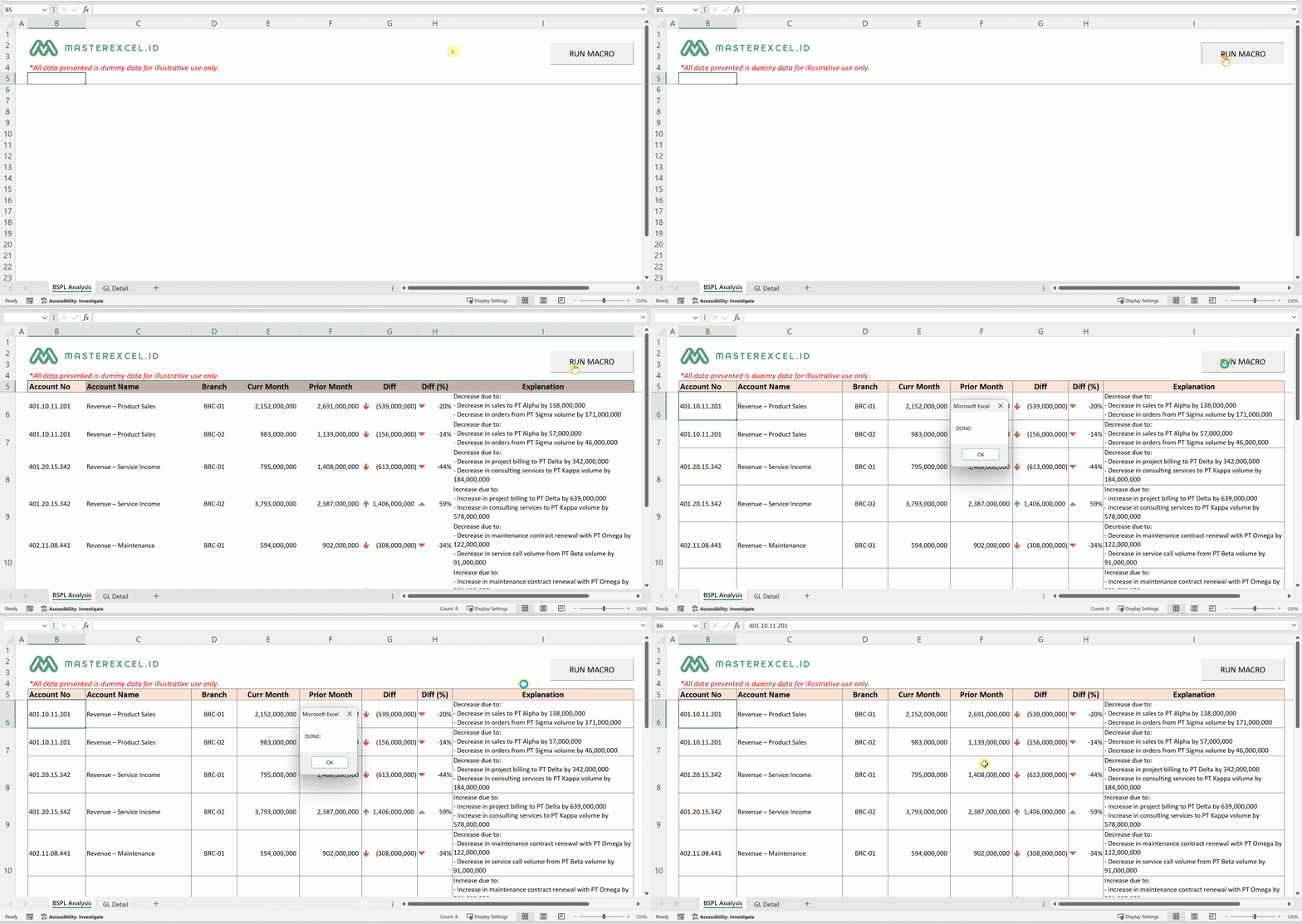
🔁 On mobile device, landscape your screen to see full image
This image is for illustrative purpose only
Management Report Analysis
Client Source Data: SAP ERP
From 4 Hours Manual Process To 5 Minutes Automated Process
Summarize downloaded data into analysis. Create Management Report supporting wordings from set of data.
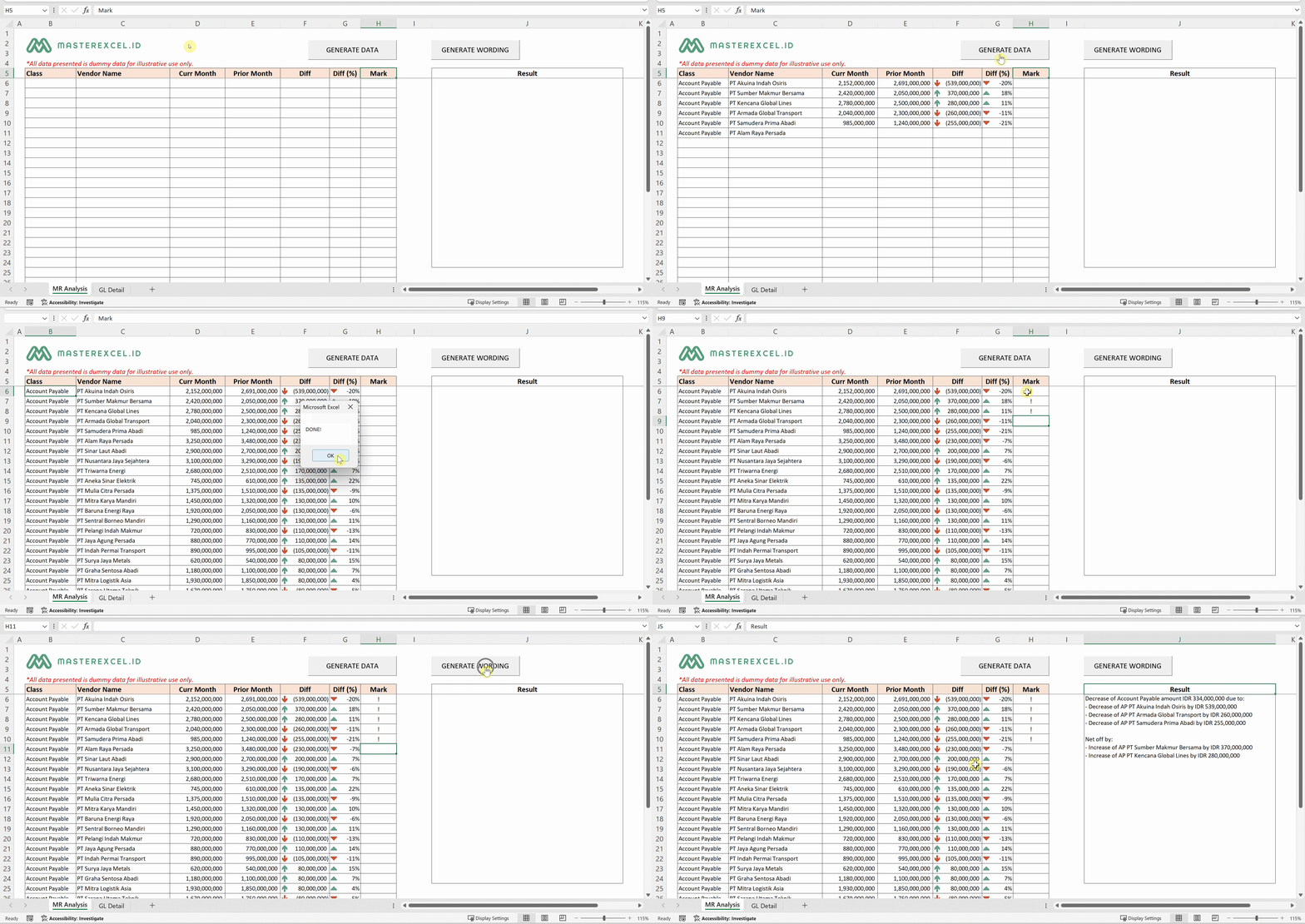
🔁 On mobile device, landscape your screen to see full image
This image is for illustrative purpose only
Budget vs Actual
Client Source Data: SAP ERP
From 4 Hours Manual Process To 3 Minutes Automated Process
Calculate Planned Amount to Actual Amount from a set of data, with certain criteria in the column. After data processing, make Comparison Report of Plan vs Actual.
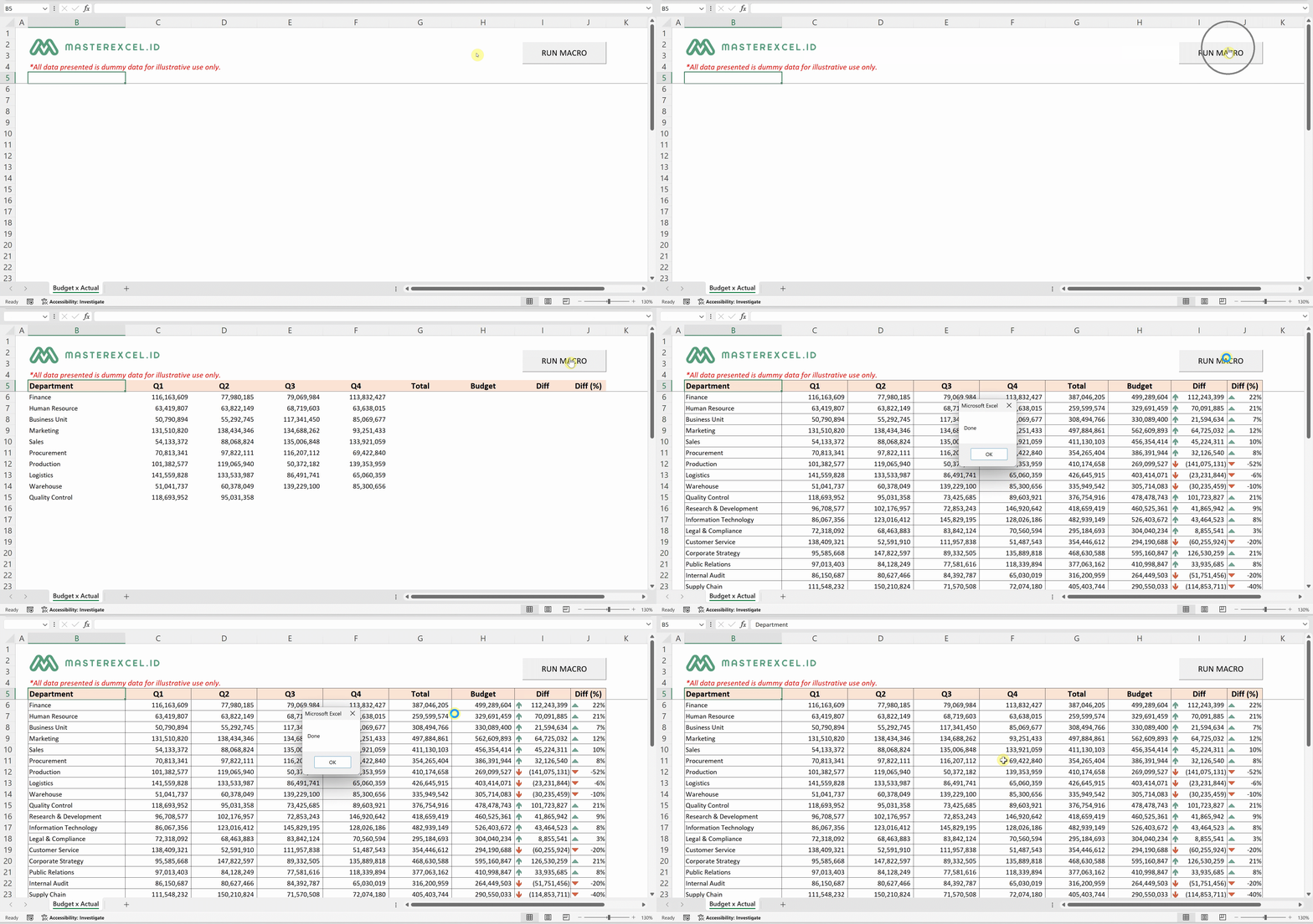
🔁 On mobile device, landscape your screen to see full image
This image is for illustrative purpose only
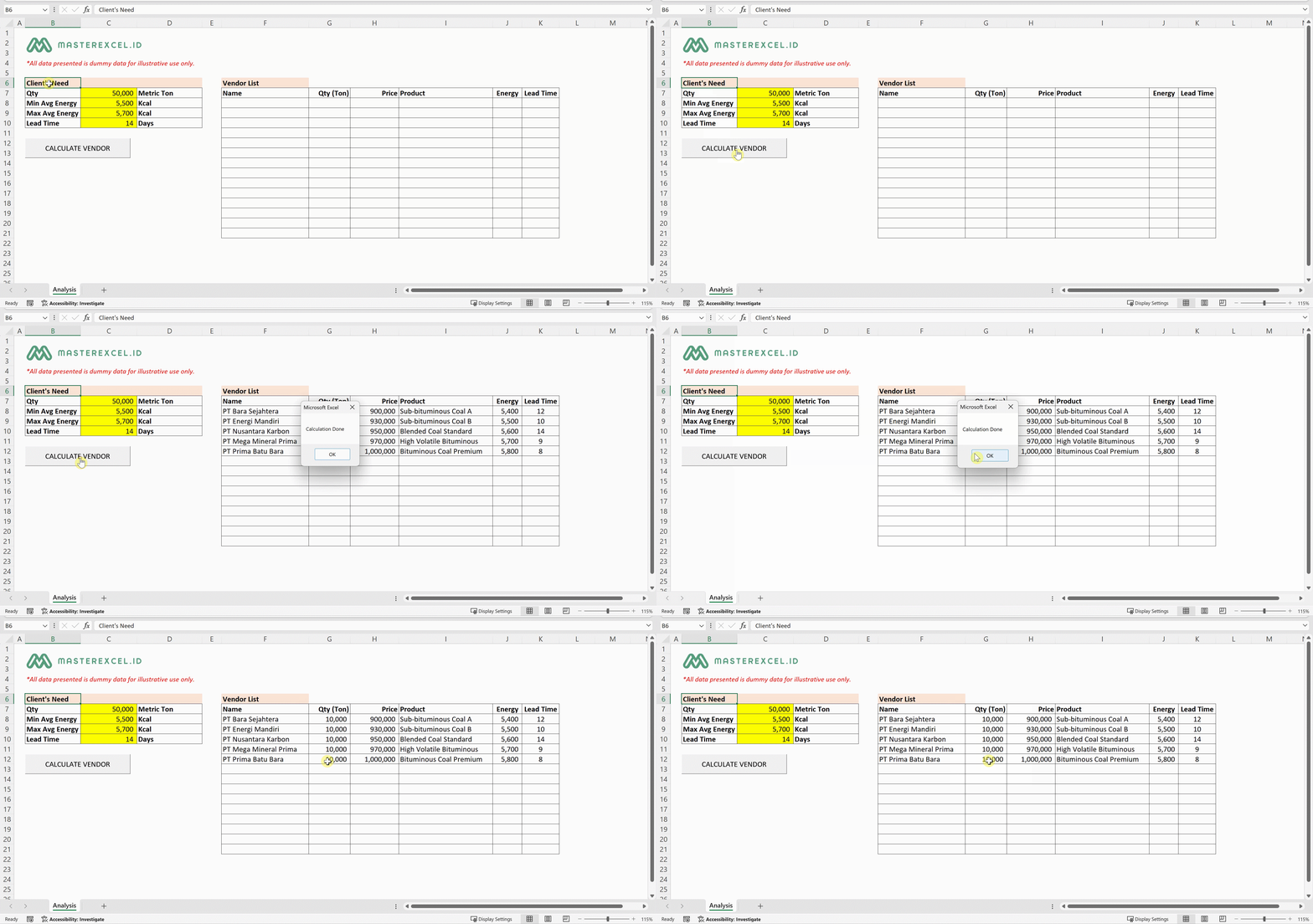
Vendor Blending Calculation
Client Source Data: Excel Files (Database Manually Maintained)
From 3 Days Manual Process To 1 Hour Automated Process
Calculate most efficient alternative for vendors based on client’s order, product specification, product volume, and shipping maximum capacity.
🔁 On mobile device, landscape your screen to see full image
This image is for illustrative purpose only
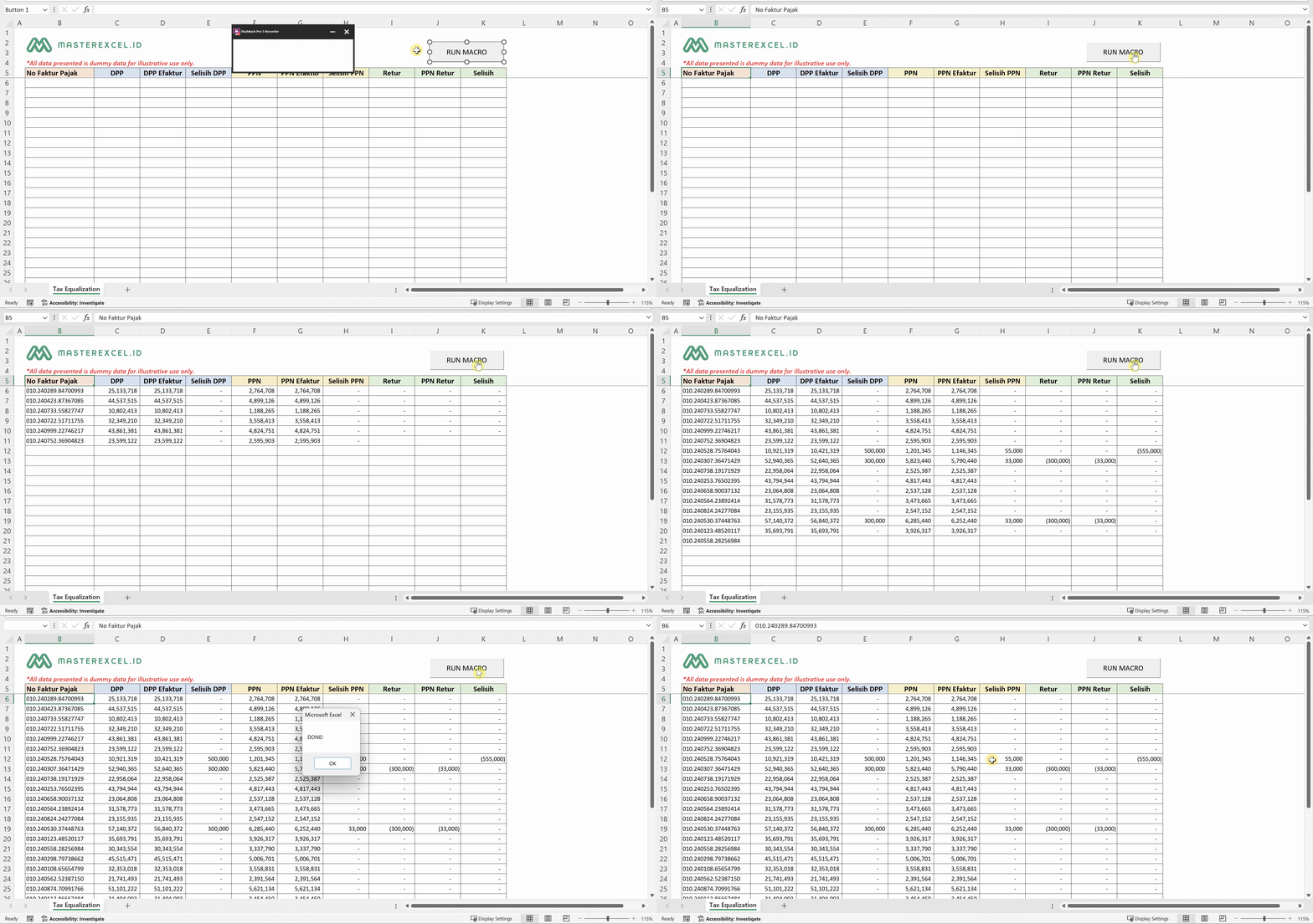
Ekualisasi PPN
Client Source Data: Accurate ERP
From 3 Hours Manual Process To 5 Minutes Automated Process
Compare data downloaded from Accurate and reconcile to DJPOnline / Coretax transaction data (including return). Spot the difference for easier review.
🔁 On mobile device, landscape your screen to see full image
This image is for illustrative purpose only
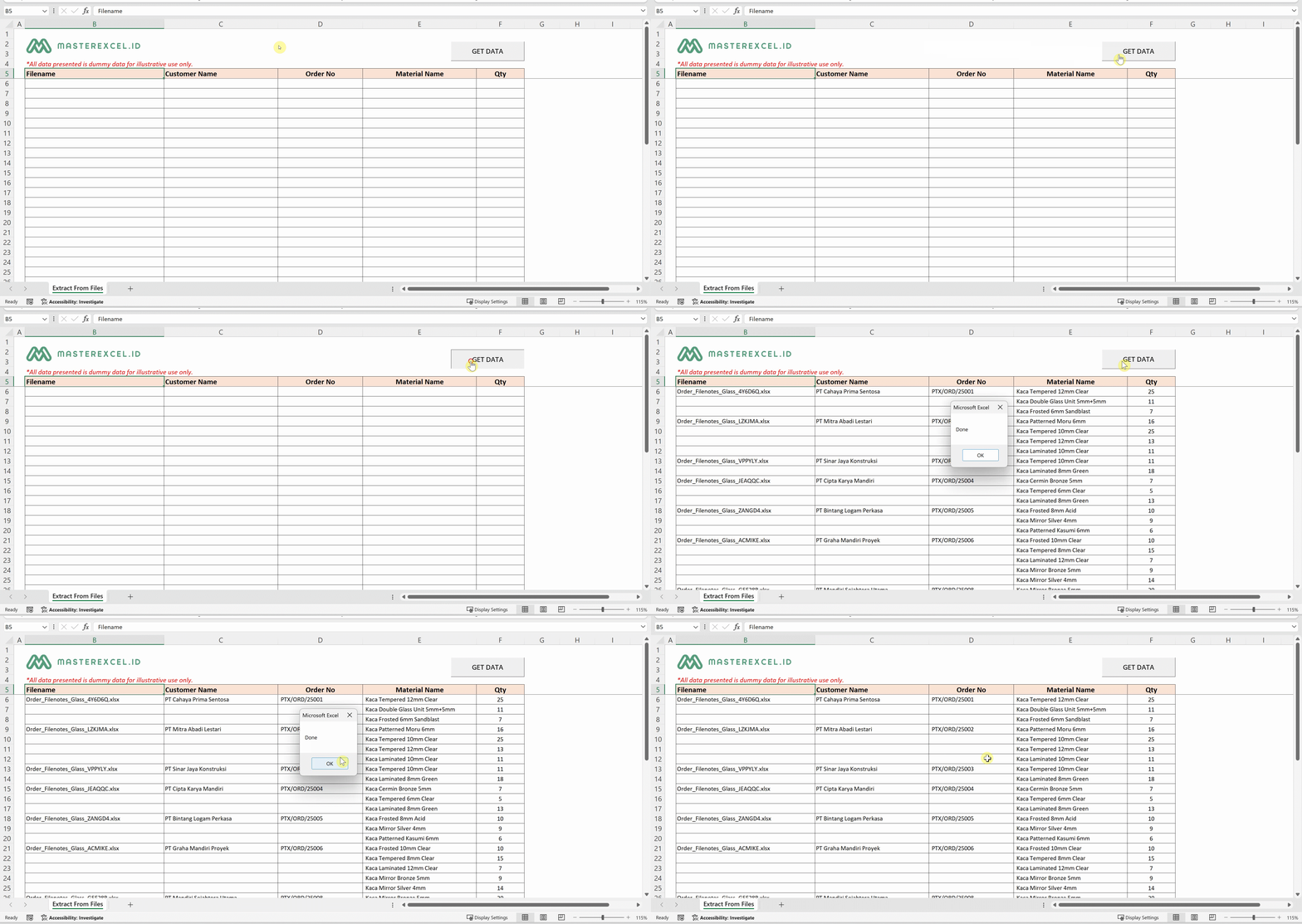
Extract Data to Summary File
Client Source Data: Excel Files (Manual Input By Employee)
From 5 Days Manual Process To 15 Minutes Automated Process
Extract data from Excel files inside multiple layers of folders (hundreds of excel files) and summarize certain important data into an excel file.
🔁 On mobile device, landscape your screen to see full image
This image is for illustrative purpose only
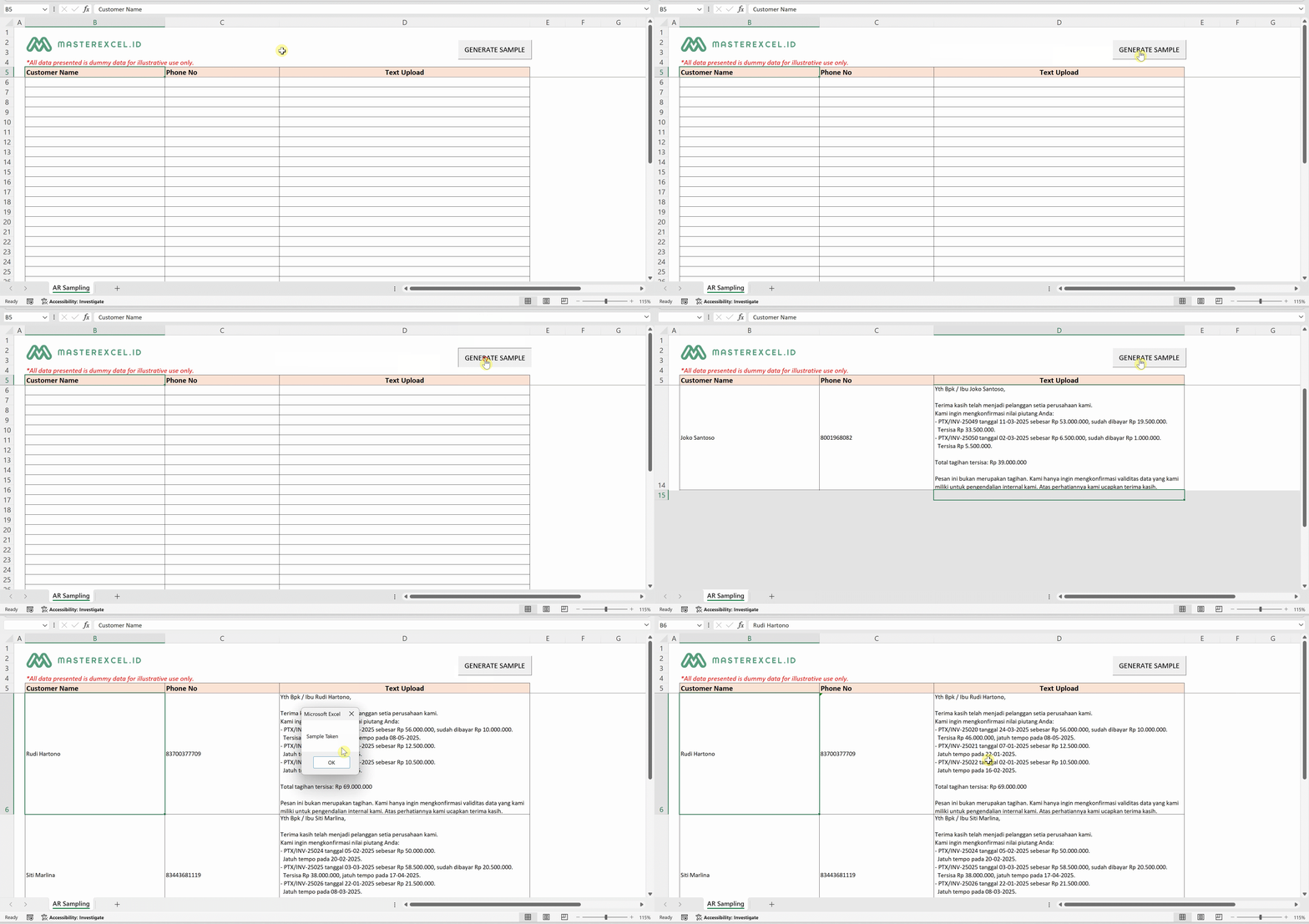
Account Receivable Sampling
Client Source Data: SAP ERP
From 5 Hours Manual Process To 5 Minutes Automated Process
Create Account Receivable sampling list from SAP downloaded data, and transform it into certain ready-to-upload template to Mekari Qontak. Ensure non-duplicate sample within certain period.
🔁 On mobile device, landscape your screen to see full image
This image is for illustrative purpose only
Account Receivable Reconciliation
Client Source Data: SAP ERP
From 1 Day Manual Process To 30 Minutes Automated Process
Reconcile transactions based on text on certain field from SAP Downloaded Data to Bank Statement. Give mark on the matched transactions.
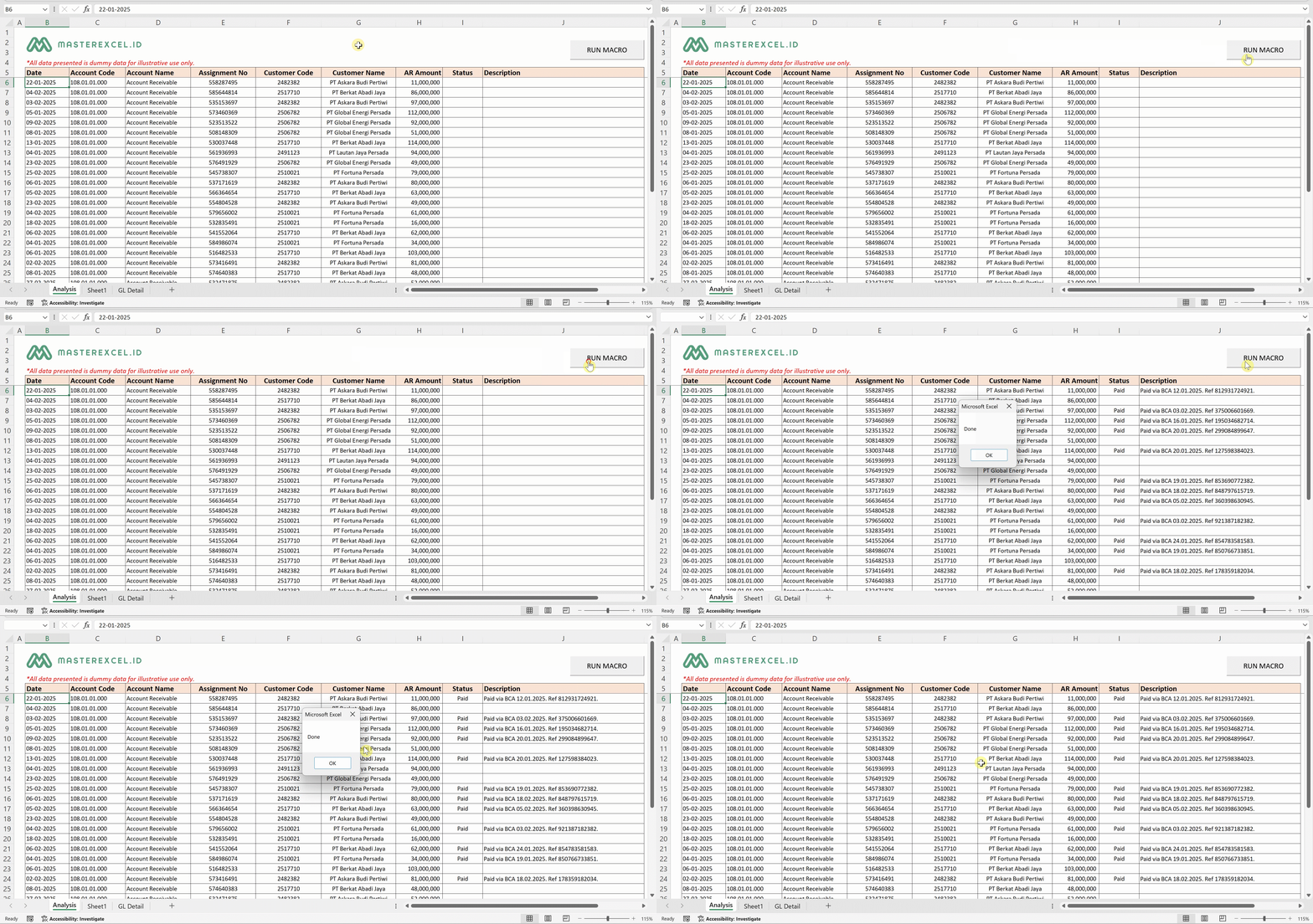
🔁 On mobile device, landscape your screen to see full image
This image is for illustrative purpose only